Festival Builder Tycoon Wiki
Unofficial guides for stages, decor, codes status, updates, and co-op play.
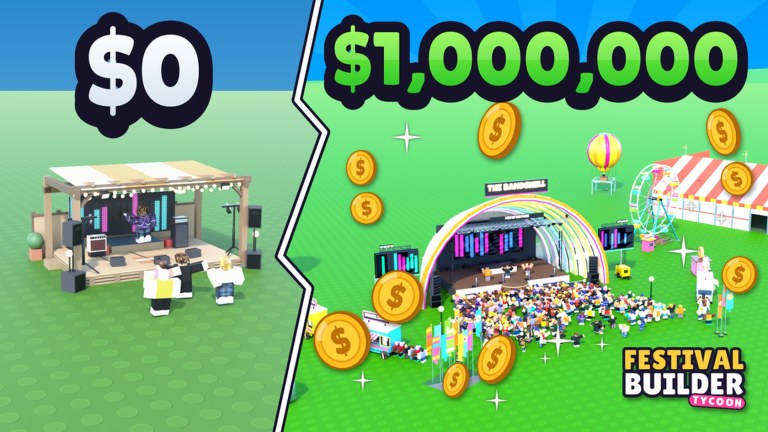
Welcome to the Festival Builder Tycoon Wiki - an unofficial fan guide for Convicted_Orange’s Roblox Simulation/Tycoon. The game launched 28 September 2026 (Place ID 76331960407574, Universe 10768504125). You build festival stages, food trucks, and paths; decorate for vibe; book bands and DJs; run reactive light shows; raise guest happiness toward five-star nights; chase Festival of the Day; and visit friends in servers of up to four players. Progress is mainly free-to-play, with optional passes for creative tools and cosmetics.
This index explains what the wiki covers and links every major hub so you can move fast. For raw official URLs, use the Links Hub.
What this wiki is (and is not)
Is: practical builder advice, tier priorities, update explainers, multiplayer etiquette, code status tracking, and safety notes.
Is not: an official patch channel, a script pastebin, or a guide for Music Festival Tycoon / Chainsmokers Festival Tycoon. We keep facts aligned to Festival Builder Tycoon only.
Start here by goal
| Goal | Open |
|---|---|
| First session | Getting Started |
| Prep a show night | Tools |
| Upgrade order | Stages |
| Galaxy decor choices | Decorations + Galaxy Update |
| Robux decisions | Game Passes |
| Promo codes | Codes (none active as of Nov 2026) |
| Visit friends | Players |
| Patch context | Updates |
| Script rumors | Scripts |
Hub map
- Codes and How to Redeem
- Guides including Getting Started
- Tier List with Stages, Decorations, Game Passes
- Updates and Galaxy Update
- Players
- Tools
- Scripts
- Links - official Roblox game + Convicted_Orange profile
Editorial standards
We do not invent promo codes or YouTube IDs. We warn when public scripts are missing or unsafe. We emphasize fixing band schedule clashes, protecting paths under Galaxy flex, and earning five-star nights on the free path before spending Robux. When updates ship, child pages under Updates explain builder impact and point back to tier lists.
Player pain points we design around include overlapping band bookings, cluttered Galaxy props that block food trucks, and confusion with similarly named festival experiences. Every hub above tries to answer those searches with clear next steps instead of filler.
How to play along with the wiki
Keep Roblox on one monitor and a hub on the other. After each night, note one failure (clash, blocked lane, hungry plaza) and open the matching checklist or tier page. Small iterations beat total teardowns. Share the Links list with friends so everyone joins the correct Place ID.
If you are returning after the Galaxy Update, re-run Tools before you celebrate the new skyline. Pretty letters never outrank a clear path to the main stage.
Community and fairness
Be kind in four-player servers, ask before editing others’ plots, and skip executors. This fan site exists so more players stage memorable festivals - not so accounts get banned. For official news, trust the game page and creator profile first, then return here for structured advice.
Explore the hubs above, build deliberately, and let guest happiness confirm that the wiki earned its keep. When you need the short jump list again, open Links; when you need priorities, open Tier List; when you need a ritual before doors open, open Tools.
Frequently Asked Questions
Quick answers to the most common Festival Builder Tycoon questions.
Is this the official Festival Builder Tycoon wiki?
No. It is an unofficial fan resource. Use the Links hub for the official Roblox game page and creator profile.
Where should I start if I am brand new?
Open Getting Started, then run the Tools night-prep checklist before your first serious show night.
Do you list working codes?
We track them on the Codes Hub. As of November 2026 there are no active codes; the page will update when verified promos appear.
Why do you warn about scripts?
No established public scripts were found for this title, and executors risk bans and malware. Legitimate progression guides are safer and sufficient.