Festival Builder Tycoon Layout & Night-Prep Checklist
A practical tool-style page you can follow before every show night.
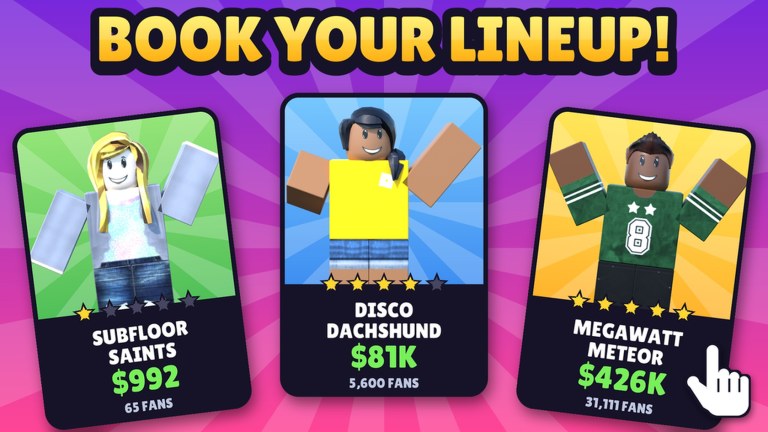
This Tools Hub is a practical checklist page for Festival Builder Tycoon. Use it before you open a show night, after a rebuild, or following a content drop like the Galaxy Update. It is not a downloadable executable and not a Roblox script—just a disciplined sequence that catches the mistakes that kill guest happiness: blocked paths, hungry plazas, dark stages, and band schedule clashes.
Print it mentally. Run it top to bottom. Cross-check deeper rankings on the Tier List Hub when a checkbox keeps failing.
Quick start — 90-second triage
If you only have a minute:
- Walk spawn → main stage without jumping over props.
- Confirm one clear food truck approach.
- Glance at the booking board for overlapping start times.
- Trigger a reactive light preview on the main stage.
- Remove anything that fails those four tests.
Then come back for the full checklist below.
Full layout checklist
1) Paths and flow
- Continuous route from entrance to main stage.
- Secondary route to the first side stage (if built).
- No décor narrower than a comfortable two-guest lane on primary paths.
- Queue edges near food do not trap players against walls.
- Giant Galaxy name letters are landmarks, not barricades (Decorations).
2) Stages and lights
- Main stage upgrades prioritized over vanity pads (Stages).
- Reactive lights tested during a sample track/peak moment.
- Side stages only enabled if you can book them tonight.
- Sightlines from plaza to performers unobstructed by tall props.
- Emergency clear space for changeovers.
3) Food trucks and comfort
- At least one truck serving the main funnel.
- Extra coverage if you expect split crowds at two stages.
- Seating or rest clusters within a short walk of food.
- Truck faces not hidden behind Galaxy panels.
4) Décor discipline
- Theme coherent in entrance + main backdrop.
- Prop density reviewed—remove C-tier clutter.
- Photo corner placed off the primary lane.
- New update pieces stress-tested on a quiet practice night (Updates).
5) Booking and clash control
- Headliners staggered—no simultaneous peaks on multiple stages.
- Travel time considered if guests should migrate mid-night.
- Genre variety without starving the main bill.
- Backup act ready if an unlock or UI hitch skips a set.
- Calendar frozen briefly before doors-open when friends are visiting (Players).
6) Multiplayer readiness (max 4 players)
- Host stated which zones are locked.
- Visitor sandbox assigned if co-decorating.
- Everyone knows not to touch bookings without permission.
- Meetup point set (letters landmark works well).
7) Progression and spend sanity
- Free-path upgrades bought before optional passes (Game Passes).
- No reliance on unverified scripts (Scripts).
- Codes checked only on the Codes Hub (none active as of Nov 2026).
Night-prep timeline
| When | Action |
|---|---|
| T−30 min | Layout checklist sections 1–4 |
| T−15 min | Booking clash pass + light preview |
| T−5 min | Freeze edits; multiplayer reminders |
| Doors | Watch first guest waves; fix only true blockers |
| Mid-night | Spot-check food queues and side-stage attendance |
| Post-night | Screenshot wins/fails; note rebuild tasks |
How to use failures as data
When a checkbox fails repeatedly, escalate to the right guide instead of randomly bulldozing the plot:
- Path failures → decorations + tools re-run; trim Galaxy density.
- Empty side stage → stages tier list; maybe decommission the pad for now.
- Happiness dips despite pretty lights → food coverage and clash audit.
- Friends confused on visit → add landmarks, simplify entrance.
New players should also skim Getting Started so early unlock order matches this checklist. Veterans can keep this page pinned as a ritual.
After patches
Content waves change which props exist, not the need for discipline. After Galaxy-style drops, insert a bonus checkbox: “New props validated against sections 1–4.” Recheck Updates notes, then return here before the next Festival of the Day push.
What this tool is not
- Not an auto-builder or executor macro.
- Not a substitute for in-game tutorials.
- Not copied from other festival tycoon wikis—the clash and Galaxy items are specific to Festival Builder Tycoon’s reported loop and update history.
Related hubs
- Players for visit etiquette while you run the multiplayer section
- Tier List when prioritization is unclear
- Guides for longer walkthroughs
- Wiki index for the full map
- Links for the official Roblox game entry
Run the checklist, open the night, and let guest happiness tell you if the tool worked. Adjust, save the lesson, and the next five-star attempt starts ahead of the last one.
Frequently Asked Questions
Quick answers to the most common Festival Builder Tycoon questions.
Is this an in-game tool or script?
Neither. It is a wiki checklist you follow manually. Avoid third-party executors marketed as building tools.
How often should I run the checklist?
Before every serious show night, after major décor rebuilds, and after content updates that add new props or systems.
What is the most important section?
Paths plus booking clash control. Pretty lights cannot save a blocked funnel or overlapping headliners.
Can friends help complete the checklist?
Yes—assign roles from the Players hub, lock critical zones, and freeze edits a few minutes before doors open.
Do I need game passes to follow this page?
No. The checklist assumes free-path building. Passes are optional if creative tools later reduce friction.