Festival Builder Tycoon Controls and UI Tips
Move, build, and book faster on PC, mobile, tablet, and console via Roblox.
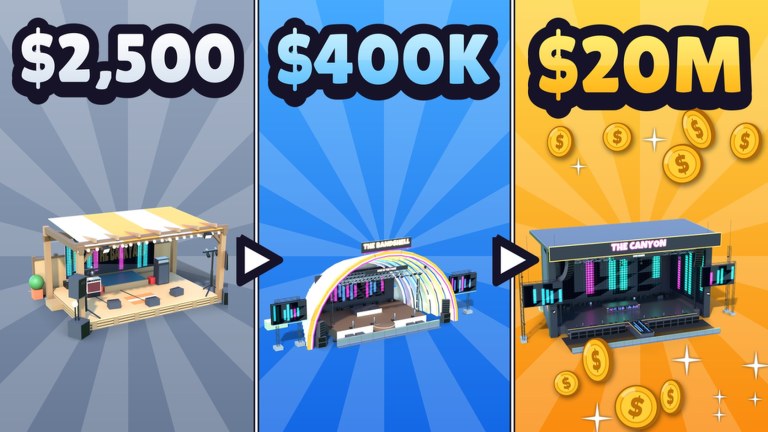
Festival Builder Tycoon runs on Roblox across PC, mobile, tablet, and console, so your hands change even when the festival loop does not. This guide covers practical control habits for building stages, placing food trucks, drawing paths, decorating, and managing bookings without fighting the camera. Use it beside Getting Started on day one and beside Festival Build whenever you rebuild.
Exact keybinds can vary with Roblox device settings and any in-game remaps, so treat the advice here as workflow guidance. Open your device’s Roblox escape or settings menu if a button does not match.
Universal habits that matter more than keybinds
- Confirm the tool before you click — build, delete, move, and decorate modes feel similar when you are rushing.
- Rotate before you commit so trucks and stages face queues and aprons correctly.
- Cancel freely — a bad placement is cheaper than a blocked path you notice mid-headliner.
- Camera high for logistics, low for polish — top-down finds chokes; ground level judges Festival of the Day vibes.
- Edit between sets when possible so you are not nudging props during a crowd surge.
These habits prevent the classic mistake of decorating yourself into a maze while trying to fix happiness.
PC tips
On keyboard and mouse, prioritize camera fluency. Practice orbiting the main stage, zooming to a food truck queue, then jumping back to the entrance in one smooth motion. When placing paths, work in short segments and walk them with your character after every few pieces. If you cannot sprint the spine without snagging, neither will guests.
Use the mouse to align edges carefully at junctions. Wide corners matter for thousands of NPCs. When booking bands and DJs, slow down on the confirm step — most clashes described in Book Bands start as mis-clicks on overlapping times. Read start and end values twice on PC where precision is easy; do not waste that advantage.
Hotbar or toolbar familiarity pays off. Know which slot opens build versus booking versus whatever guest or finance panel the current UI uses. Less hunting means more watching meters during live shows with reactive lights.
Mobile and tablet tips
Touch controls shine when you keep gestures deliberate. Pinch to set a planning zoom, then place large objects before tiny decor. Fat-finger mistakes love delicate props beside path edges — leave a safety margin. After placing a truck, rotate it so the service side faces the queue pocket you intend.
Sit or stand in a stable position for long build sessions; accidental camera flicks drop pieces in the wrong cell. When the UI feels crowded, finish logistics first (stage, trucks, paths) and save Galaxy cosmetics for a second pass as in Galaxy Theme.
For bookings on mobile, zoom the schedule UI and verify there is no overlap before confirming. If the screen is small, write the intended times in chat to yourself or a friend on a four-player server so you have a checksum.
Console via Roblox
Controller players should lean on stick camera control and avoid rushing radial menus. Place chunky structure first. Use finer adjustments for alignment along the main path. When a placement feels “almost right,” cancel and retry rather than accepting a one-stud offset that becomes a permanent choke.
If text-heavy booking screens are awkward on a TV, consider planning the card on a second device or with a friend spotting times. Clash prevention is worth the extra care.
UI panels to memorize
Whatever the current labels, you need instant access to:
- Build / place for stages, trucks, paths, decor.
- Delete / store for clearing mistakes without rage-rebuilding.
- Booking / lineup for bands and DJs.
- Guest or rating feedback so happiness issues are visible mid-show.
- Economy or cash readouts before big purchases — see Earn Money.
Glance at ratings after every major edit. A prettier entrance that tanks pathing is not an upgrade.
Camera drills for better festivals
- Entrance to main stage flyover — should feel obvious in seconds.
- Truck queue inspection — can you see waiting space without props in the way?
- Stage apron check — viewing room clear for lights and crowds?
- Secondary stage path — staggered bookings still need walkable links.
- Perimeter theme pass — Galaxy props framed, not random.
Run these drills before chasing Festival of the Day. Featured hopefuls fail camera tests constantly.
Co-op control etiquette
On servers with up to four players, decide who is editing. Two people placing fences at the same junction creates chaos. One builds, one watches guest flow, then swap. Visiting friends’ festivals is easier when you spectate first and only touch tools if invited.
Troubleshooting input frustration
- Piece won’t place: another prop occupies the cell, or you are in the wrong mode.
- Guests ignore a new path: incomplete connections or hidden blockers; walk it yourself.
- Booking seems ignored: times clash or the stage is not ready; revisit Book Bands.
- UI too small on mobile: raise Roblox UI scale in app settings if available, and place large items first.
Controls will not replace systems knowledge. Pair this page with Guest Happiness when meters fall, and return to the Guides Hub for the full walkthrough list. Smooth inputs simply let you apply those systems before the crowd notices the mistake.
Frequently Asked Questions
Quick answers to the most common Festival Builder Tycoon questions.
Does Festival Builder Tycoon support mobile?
Yes. It runs on Roblox for PC, mobile, tablet, and console. Use careful zoom and larger placements first on touch screens.
How do I avoid misplacing buildings?
Confirm your tool mode, rotate before placing, cancel freely, and walk paths after each segment to catch blockers early.
What camera angle is best for building?
High angles for logistics and choke points, lower angles when judging stage presentation and Festival of the Day polish.
Can friends help me build?
Servers hold up to four players. Coordinate so only one person edits a junction at a time to avoid overlapping placements.
Why do my bookings keep overlapping on mobile?
Small schedule UIs make mis-taps easy. Zoom in, verify start and end times twice, and keep buffers between nearby stages.