Festival Builder Tycoon Guides
From first stage to Festival of the Day — every core loop explained.
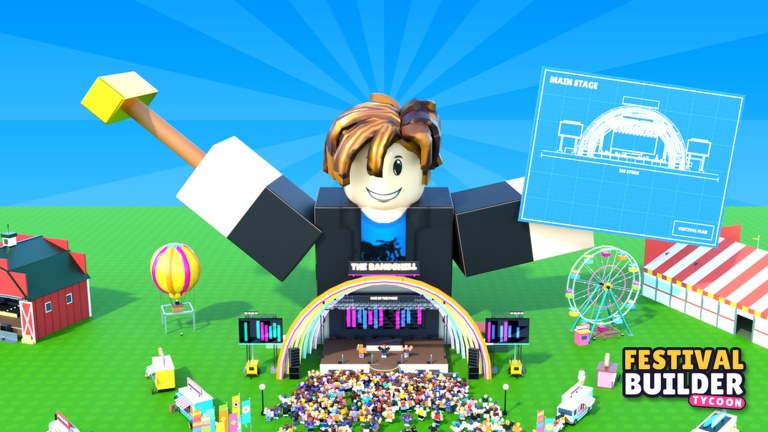
Welcome to the Festival Builder Tycoon guides hub. This Roblox simulation tycoon by Convicted_Orange asks you to design a living festival: place stages and food trucks, carve paths for thousands of guests, decorate the grounds, book bands and DJs, then watch lights react as live shows roll. Keep crowds fed, watered, and happy long enough to earn five-star nights, chase Festival of the Day, and visit friends on servers that hold up to four players.
This wiki is only about Festival Builder Tycoon (place ID 76331960407574). Other Roblox festival titles are different games — do not mix their systems, codes, or updates with the advice here.
Where to start
If you just joined, open the Getting Started walkthrough. It covers the first session in order: orientation, early money, a starter stage, your first food truck, and a safe booking so you do not waste cash on overlapping acts. Pair that page with Controls so PC and mobile inputs stop slowing you down while you build.
Once the basics click, move into layout. The Festival Build guide explains stages, trucks, paths, decoration density, and flow so guests can reach food and water without gridlock. Strong layouts make every other system easier — happier guests spend more, and cleaner sightlines make your grounds look ready for Festival of the Day.
Core loop deep dives
Festival Builder Tycoon rewards a clear loop: build → book → host → reinvest. Use these guides when a single part of that loop is holding you back:
- Book Bands — scheduling acts and DJs, reading stage capacity, and avoiding the common clash when two shows overlap on connected stages.
- Guest Happiness — feeding, watering, comfort, and the habits that push nights toward five stars instead of mid-rating churn.
- Earn Money — ticket and concession income, when to expand, and how optional passes fit as creative tools rather than a paywall for progress.
- Festival of the Day — polish, visit-ready presentation, and the checklist players use when they want the featured spotlight.
- Galaxy Theme — the Galaxy Update’s thirty-one decorations, cosmic theming, and giant festival-name letters for a modern look.
Cross-link these pages as you play. A money problem is often a happiness problem; a happiness problem is often a path or food-truck problem; a weak show night is often a booking clash. The guides are written to send you to the real bottleneck instead of repeating the same generic tips.
How this hub stays useful
Expect the game to keep adding decorations, themes, and quality-of-life tools. Everything meaningful is still earned by playing; game passes mainly unlock creative options, show extras, and cosmetics. Promo codes are not a reliable progression path right now — check the Codes page when you want the current redemption status, then return here for systems that actually move your festival forward.
Use Updates for patch notes and feature drops, Players when you care about creators and community context, and Tier List style pages when ranking tools or priorities. For scripts and executors, see Scripts only if you already understand the risks — this guides hub focuses on legitimate play.
Suggested reading order
- Getting Started and Controls
- Festival Build then Guest Happiness
- Book Bands and Earn Money
- Festival of the Day when your nights are consistently strong
- Galaxy Theme whenever you retheme or decorate after the Galaxy Update
Bookmark this hub, jump to the guide that matches tonight’s goal, and keep iterating. A five-star festival is not one lucky booking — it is layout, logistics, lineup, and polish working together.
Frequently Asked Questions
Quick answers to the most common Festival Builder Tycoon questions.
Which Festival Builder Tycoon guide should I read first?
Start with Getting Started, then Controls and Festival Build. Those three cover your first profitable night without wasted bookings.
Is Festival Builder Tycoon the same as other Roblox festival games?
No. This wiki covers only Festival Builder Tycoon by Convicted_Orange. Mechanics and updates from other festival titles do not apply here.
Do I need game passes to follow these guides?
No. Progress is earned by playing. Passes add creative tools, show extras, and cosmetics, but the core loop works without them.
Why do my bands keep failing or overlapping?
Overlapping bookings on connected stages cause clashes. Read the Book Bands guide and leave buffer time between nearby shows.